Redline a plugin for ChatGPT
Suggestions,not rewrites.
Redline turns ChatGPT's edits into tracked changes you accept or reject, in the chat or in a real Word file.
You ask for a light edit.
You get a whole new document back.
Now you're hunting for what changed.
See every change. Keep the ones you want.
How it works
- 01
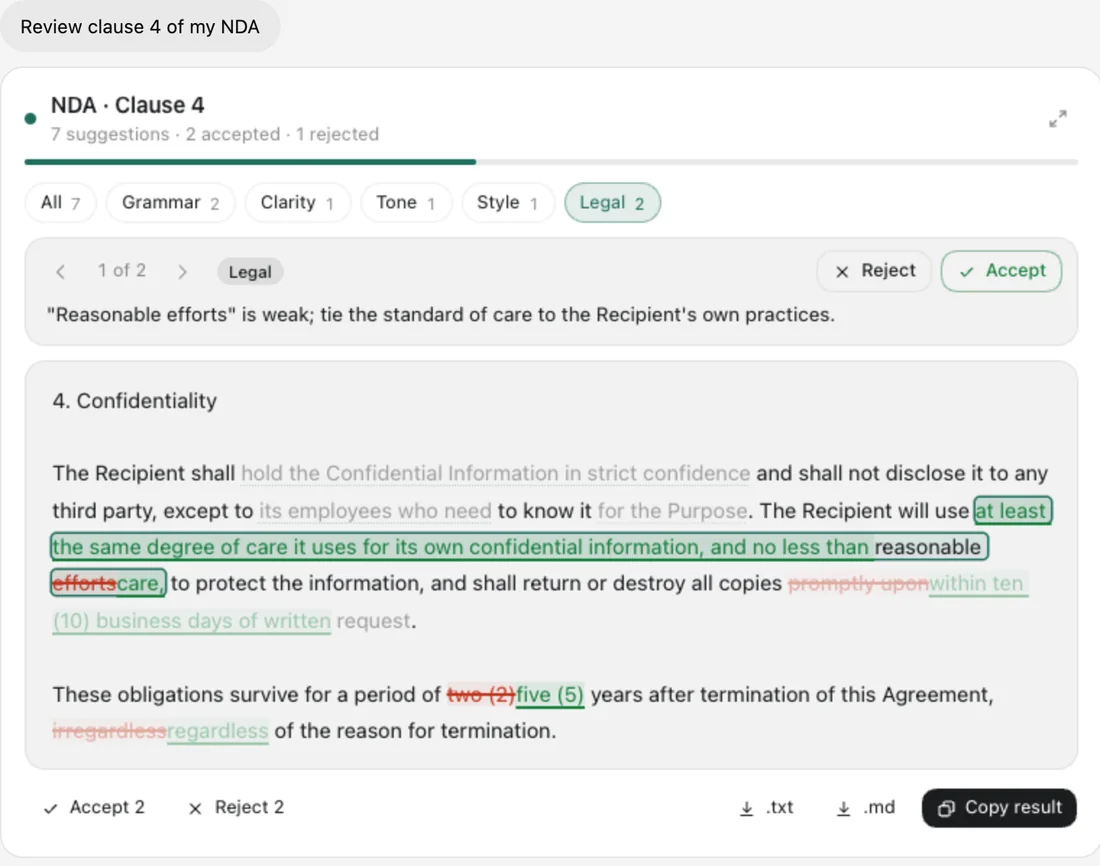
Review in the chat
Each edit sits inline with its reason. Accept or reject them one at a time.
- 02
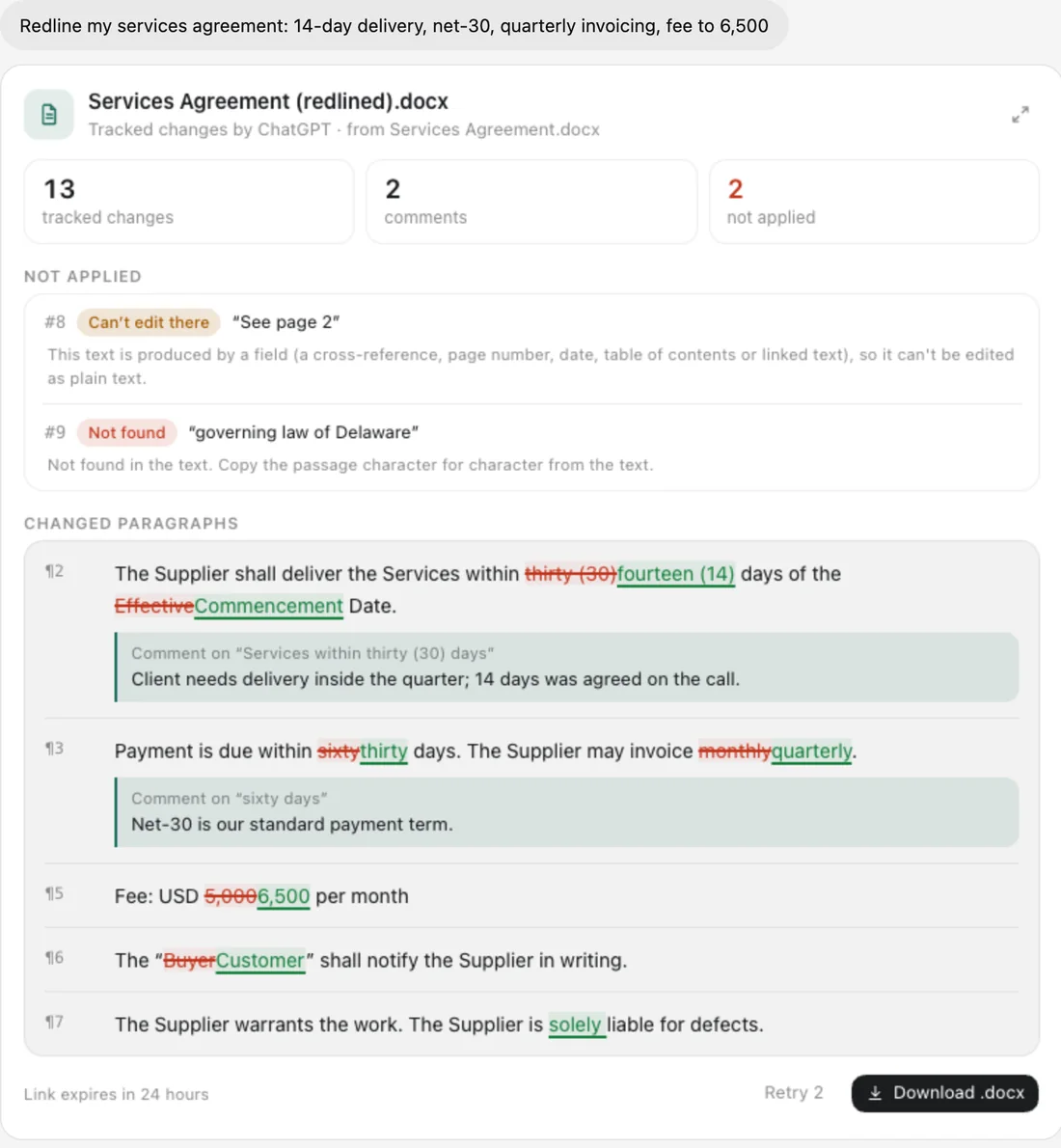
Redline a Word file
Real tracked changes and comments, ready for Word or Google Docs.
- 03
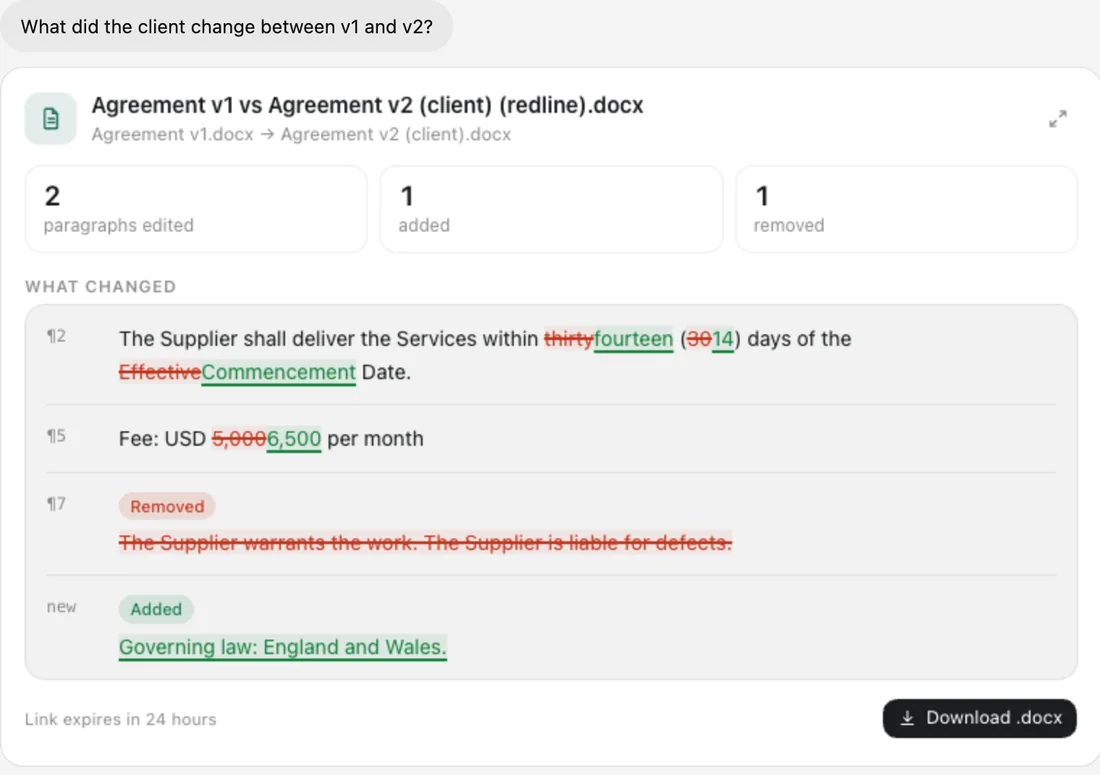
Compare two versions
Give it the old and the new. Get a redline of every difference.
What it does
Native tracked changes
Accept or reject them in Word like any other revision.
Comments with reasons
Each change can explain itself.
Formatting kept
Bold, italics and styles survive the edit.
Nothing invented
Edits that don't match the text are flagged, never applied.
Filter by kind
Grammar, clarity, tone, legal and style.
Your data
What we keep
- Generated files, for 24 hours, behind a private link.
What we never do
- We don't keep your documents.
- We never share or train on them.
ChatGPT sends an anonymous id, never your name or email. We store only a one-way hash of it. Read the privacy policy
Questions
Will it open in Word?
Yes. Changes appear as normal tracked changes.
Is it legal advice?
No. It shows suggested edits. You decide.
Redlineis almost in ChatGPT.
It's on its way to the ChatGPT Plugin Directory. In developer mode, you can add it today with this address.
https://redline.auteurhq.com/mcpMore from Auteur